

Free self-hosted help desk software costs nothing to license, but it is never free to run. You pay for a server, for email setup, and for the hours someone spends patching it. The distinction that matters most is whether the license is truly free or open-core. A truly free license gives you everything. An open-core license leaves out the features a growing support team needs, such as SLA timers, reports, and single sign-on, and keeps them in a paid tier.
TL;DR:
- "Free" describes the license, not the running cost. Budget for a server, an email relay, backups, and roughly two hours of maintenance a month.
- Free self-hosted help desks fall into five types: classic PHP ticket systems, modern omnichannel platforms, IT service suites, open-core editions, and low-code builders. Each one fits a different team.
- Check the license before you install. If you modify an AGPL help desk and expose it to customers, you must offer them your modified source code.
- Email deliverability is the most common failure point. Send through a relay with SPF, DKIM, and DMARC, not directly from your server's IP.
- A one-person store with no server skills is usually better served by a simple hosted tool. Self-hosting pays off once you have several agents, several stores, or seasonal staff.
Table of Contents
- Free License vs. Free to Run: The Line Every Comparison Skips
- Free Self-Hosted Help Desk Software: The Five Types and Who Each Fits
- What a "Free" Help Desk Costs You Per Year
- How to Vet an Open Source Ticketing System on GitHub in 15 Minutes
- Email Is Where Self-Hosted Help Desks Actually Break
- Your Server, Your Liability: Security and GDPR When You Host It Yourself
- When Free Self-Hosted Is the Wrong Answer
- Get One Inbox for Every Store, Without Paying Per Agent
- Frequently Asked Questions
- Sources
Free License vs. Free to Run: The Line Every Comparison Skips
Free self-hosted help desk software sits on two separate meters. The first is the license, which can genuinely be $0. The second is everything needed to keep the software answering customers: hosting, email delivery, backups, security updates, and your time. Most "best free ticketing system" lists only measure the first meter.
The license itself comes in three flavors, and they behave very differently once you're running a real support operation:
- Permissive or GPL licenses. You can use, modify, and run the software for your business at no cost. The Open Source Initiative's definition rules out restrictions on fields of use, so a license that blocks commercial use doesn't count as open source.
- AGPL licenses. These are free to use, with one condition that catches people out. The license is written for software that people use over a network, which is exactly what a customer-facing help desk portal is.
- Open-core editions. The "community edition" is free. SLA management, advanced reporting, multi-brand support, or SSO sit in a paid tier. These are often the exact features you went looking for.
Modify an AGPL-licensed help desk and let customers reach it over the web, and section 13 of the license requires you to offer those users your modified source code.
That obligation comes straight from the GNU Affero General Public License v3. It costs nothing if you never change the code. It matters a great deal if you plan to customize the customer portal for your brand.
Free Self-Hosted Help Desk Software: The Five Types and Who Each Fits
If you read enough Reddit threads asking for a free self-hosted help desk, you'll notice the same handful of long-running projects keeps coming up. The recommendations aren't the useful part. The complaints are: dated interfaces, painful upgrades, and email that stops arriving. Those complaints map neatly onto the type of software involved.
| Type | Typical stack | Server it needs | Best fit | The catch |
|---|---|---|---|---|
| Classic email ticket system | PHP + MySQL | Cheap shared hosting or a 1 GB VPS | Single store, email-only support | Dated UI, plugin ecosystem ages badly |
| Modern omnichannel platform | Docker, search engine, background workers | Several GB of RAM, a real VPS | Teams handling chat, social and email | Heavier to run and upgrade |
| IT service management suite | PHP or Java, asset database | Moderate VPS | Internal IT departments | Built for laptops and assets, not orders |
| Open-core community edition | Varies | Varies | Testing before buying | Key features paywalled |
| Low-code/no-code builder | App platform + database | Moderate VPS | Teams wanting a custom workflow | You design and maintain the help desk yourself |
Which type you should pick
For an online store, pick the classic email ticket system if you have one brand and one inbox. Pick a purpose-built multi-store tool if you have more than one. You should usually skip IT service suites. They solve problems like asset inventory and change approval that a store doesn't have, and every unused module is one more thing to patch. Low-code builders are tempting. In practice you become the vendor, the designer, and the support desk for your own support desk.
If you're still deciding whether you need a ticketing system at all, this breakdown of what a support ticket system costs and which type to pick covers the hosted options too.
What a "Free" Help Desk Costs You Per Year

Here is an illustrative annual budget for a free self-hosted help desk serving a small store team. The figures are typical ranges, not quotes. Price your own setup against them.
| Line item | Typical annual cost |
|---|---|
| License | $0 |
| VPS (2–4 GB RAM) | $120–$480 |
| Transactional email relay | $0–$240 |
| Off-server backups | $30–$120 |
| Domain and TLS certificate | $0–$20 |
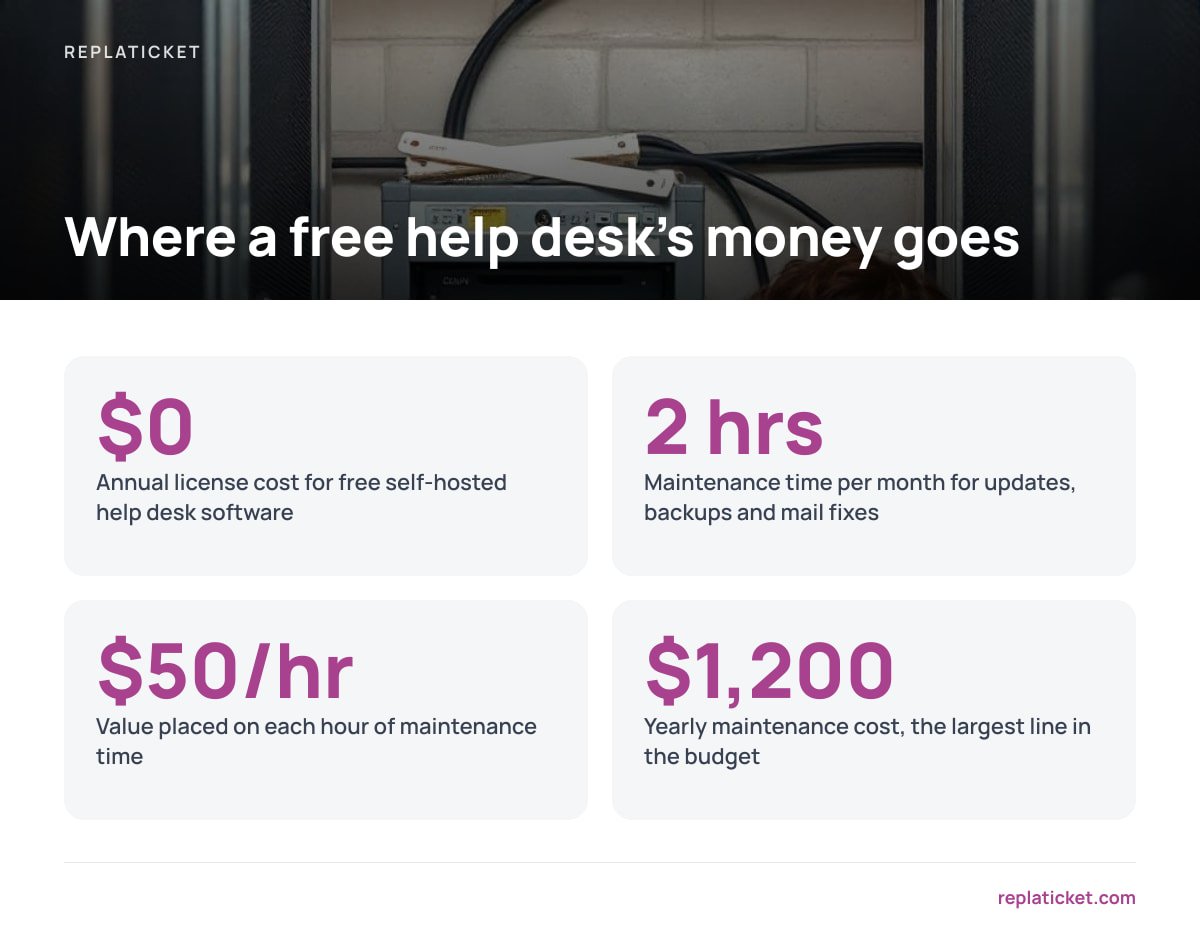
| Maintenance time (2 hrs/month at $50/hr) | $1,200 |
| Total | roughly $1,350–$2,060 |
The largest line is not software. It is the hours spent applying updates, checking backups actually restore, and fixing the mail queue after a provider change. Many teams assume that time is zero because nobody invoices for it.
Two hours a month of upkeep, valued at $50 an hour, is $1,200 a year. That is roughly what two agents cost on a mid-priced hosted help desk.
That doesn't make self-hosting a bad deal. It makes the comparison honest. Hosted per-agent plans commonly run from around $15 to well over $100 per agent per month, and they scale with headcount. A self-hosted desk's cost stays flat whether you have two agents or eight. For a side-by-side view of the subscription side, see what a hosted per-agent plan costs a small store team per year.
How to Vet an Open Source Ticketing System on GitHub in 15 Minutes
Searching "open source ticketing system github" turns up hundreds of repositories, and many of them are quietly abandoned. Before you install anything, spend 15 minutes on these checks:
- Last tagged release. If the most recent release is more than 12 months old, treat the project as unmaintained, however many stars it has.
- Supported runtime versions. Check which PHP, Node, or Ruby versions the project officially supports. Compare them against the PHP supported versions page or the equivalent for your language. A help desk pinned to an end-of-life runtime stops getting security fixes, even if the help desk code itself is fine.
- Security policy. Look for a SECURITY file or a stated way to report vulnerabilities. Projects without one tend to fix security bugs in ordinary releases with no warning.
- Upgrade notes. Read the changelog for the last two major versions. If upgrades require manual database migrations, budget for them.
- Issue tracker tone. Check whether maintainers answer, or whether issues pile up untouched. Fifty open issues with replies is healthier than ten with silence.
- License file. Confirm whether it is GPL, AGPL, MIT, or a "community edition" license with commercial restrictions.
Pro Tip: Search the issue tracker for "email," "IMAP," and "OAuth" before you commit. Major mail providers have been moving away from basic password logins for mailbox access. A help desk that can't fetch mail over OAuth may suddenly stop importing tickets from your inbox, and the issue tracker will show you whether that has already happened to other users.
Email Is Where Self-Hosted Help Desks Actually Break
A help desk is an email system first. Customers write in, and your replies have to land in their inbox, not their spam folder. This is the most common reason self-hosted setups get abandoned.
Google's email sender guidelines require every sender to Gmail accounts to set up SPF or DKIM. Senders of more than 5,000 messages a day must use SPF, DKIM, and DMARC together. A small store won't hit that volume from support replies alone. Even so, setting up all three is the difference between replies that arrive and replies that don't.
Three practical rules:
- Don't send from your VPS's own IP. Many cloud providers block or throttle outbound port 25 by default, and fresh server IPs often carry a poor sending reputation. Route outgoing mail through a transactional email relay.
- Authenticate every sending domain. If you run three stores on three domains, each domain needs its own SPF, DKIM, and DMARC records. A shared setup across brands is a common source of "your reply went to spam."
- Reply as the store, not the software. Customers trust a reply from "Support at YourStore" on your store's domain. A generic help desk identity looks like a phishing attempt.
Multi-brand email is where free tools differ most. If you run more than one storefront, this guide on what to compare in a support inbox for multi-store teams lists the routing and identity checks worth testing.
Your Server, Your Liability: Security and GDPR When You Host It Yourself

Keeping customer data on your own server is a real advantage. It also moves the responsibility to you. There is no vendor security team, no managed patching, and no one else's incident response.
Outdated and vulnerable components have been a fixture of the OWASP Top Ten, the most widely used list of critical web application security risks. A help desk is a prime example. It stores names, addresses, order numbers, and sometimes photos of damaged goods, and it sits on the public internet with a login page.
If you handle data on customers in the EU, Article 32 of the General Data Protection Regulation requires security measures appropriate to the risk. It specifically names the ability to restore access to personal data in a timely manner after an incident. In practice, that means three things for a self-hosted help desk:
- Tested backups. A backup you've never restored is a hope, not a measure. Restore one to a test server every quarter.
- Encrypted transport everywhere. Use HTTPS for the portal and TLS for mail fetching and sending.
- Least-privilege access. Agents should only see the stores and tickets they work on. This matters most with seasonal staff, who join and leave several times a year.
When Free Self-Hosted Is the Wrong Answer
The obvious advice is "free and self-hosted is always cheapest." For some teams it is plainly wrong.
- One person, one store, no server skills. If you answer fewer than about 20 emails a day yourself, a well-organized shared mailbox will probably do. A shared inbox has limits, but it carries none of the server risk.
- No one owns updates. If nobody will apply security patches within a week of release, don't host a customer-facing portal. Choose a hosted tool and pay the subscription.
- You need phone and live chat on day one. Most free email-first systems treat those channels as add-ons, and wiring them in yourself takes far longer than the license saves.
Self-hosting starts paying off when per-agent pricing begins to bite. That happens when you have three or more agents, temporary staff for peak season, or several stores that would each need their own subscription.
Get One Inbox for Every Store, Without Paying Per Agent

Free tools leave multi-store teams with the gaps described above. You get one sender identity, flat permissions, and SLAs and reports locked behind paid tiers. Replaticket closes those gaps for a one-time $299 license. Tickets from every store land in one inbox, and each store keeps its own reply name, address, and color. You decide which people can see which stores. First-reply and resolution SLA targets warn you before a ticket goes overdue, which is useful once you've set a real first response time target. Reports break down by store and by person, including satisfaction scores.
You get the complete source code, 12 months of updates, and 30 days of setup support. The honest caveat is that it is still self-hosted. Everything in the email and security sections above still applies: you need a server, a mail relay with SPF, DKIM, and DMARC, and someone to install updates. Check the requirements on our spec sheet against your server before you buy.
Frequently Asked Questions
Is there truly free self-hosted help desk software?
Yes. Several open source help desks have free licenses with no agent limits. You still pay to run them, through server hosting, email delivery, backups, and maintenance time. For a small team, that typically comes to more than $1,000 a year once your time is counted.
What is the difference between open source and open-core help desk software?
Open source software gives you the full product under a license like GPL or AGPL. Open-core software offers a free community edition but keeps features such as SLA management, advanced reporting, or SSO in a paid tier. Check which edition includes the features you need before installing.
Can I run a self-hosted help desk on shared hosting?
Classic PHP and MySQL ticket systems can often run on shared hosting or a small VPS with 1 GB of RAM. Modern omnichannel platforms usually need Docker, a search engine, and several gigabytes of memory, which shared hosting can't provide. Check the project's stated requirements before choosing a host.
Why do emails from my self-hosted help desk go to spam?
The usual causes are sending directly from your server's IP address and missing SPF, DKIM, or DMARC records on your domain. Route replies through a transactional email relay and authenticate every domain you send from. Google requires all senders to Gmail to use at least SPF or DKIM.
Is self-hosting a help desk GDPR compliant?
Self-hosting can support GDPR compliance because you control where customer data lives. It also makes you responsible for securing it. Article 32 requires appropriate security measures, including the ability to restore access to personal data promptly after an incident, so tested backups and timely patching are essential.
Sources
- GNU Affero General Public License v3 | Free Software Foundation
- The Open Source Definition | Open Source Initiative
- Email sender guidelines | Google Workspace Admin Help
- OWASP Top Ten | OWASP Foundation
- Regulation (EU) 2016/679 (General Data Protection Regulation) | EUR-Lex
- Supported Versions | The PHP Group
Leave a Reply